Introduction
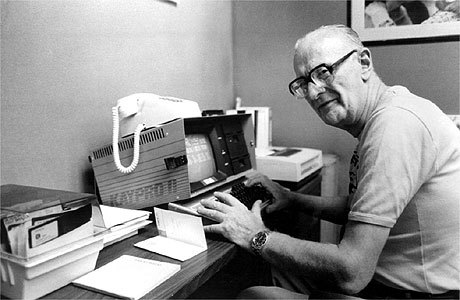
“Any sufficiently advanced technology is indistinguishable from magic.” –Arthur C. Clarke
This module is designed to demystify the inner workings of modern computers, allowing learners to build a clear mental model of a computing systems.
Prerequisite Modules:
- History of Computing
Resources
Modern Computer Systems
A computer is a complex system consisting of both hardware and software that can store, retrieve and process information.
Modern computers range in size and speed from giant super-computers, through desktop and laptop PCs, to hand-held mobile devices (PDAs and cellphones).
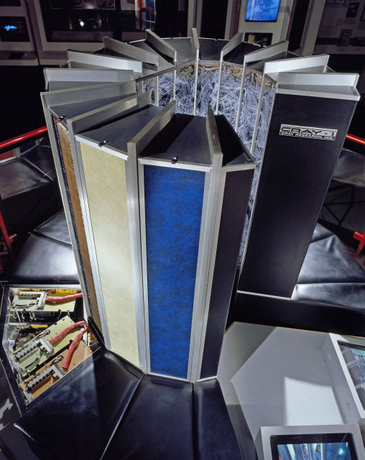
Computer technology is constantly improving. Modern personal computers are more than 100 times faster than the 1970s Cray-1 supercomputer shown here.
Image: Cray-1 Supercomputer
Resources
Wikipedia Articles:
Hardware vs. Software
In general, the word hardware is used for physical devices such as gaming devices (PS3, XBox, Wii), DVD or Blu-Ray Players, computers, etc. The word software is used for the information used with such devices: video games, movies, computer programs, and data.
When discussing computer systems, hardware refers to the physical electronic and mechanical parts of the computer, such as the processor, the memory, the monitor, etc. Here, software refers specifically to computer programs and data used with computer hardware.
“If you can stub your toe on it, it’s hardware.”
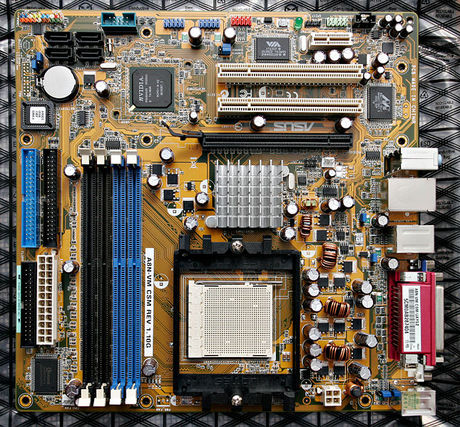
Image: A computer motherboard
Computer Software
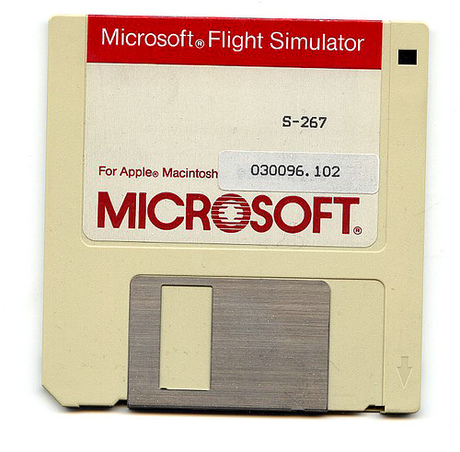
Computer software is a combination of programs and data.
Programs consist of instructions for the processor.
Data is any information a program reads, writes or manipulates.
For example, Microsoft Word is a program for working with text and text-formatting data. Adobe Photoshop is a program for creating and editing graphical image data.
These types of programs are know as application software, in that each is designed to carry out tasks within a particular application area, such as word processing or graphic design.
Operating Systems
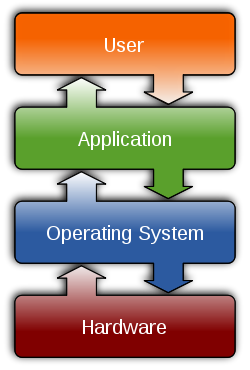
In contrast to application software, system software manages the resources and behaviour of the computer itself. The most important piece of system software is the operating system.
The operating system (OS) is always present when a computer is running. It is responsible for running application software and managing the required hardware resources.
In most cases, the OS also powers the Graphical User Interface (GUI) through which a user can interact with the computer using the monitor, keyboard and mouse.
Examples of operating systems are Windows, Linux and OS X.
Components of Computer Systems
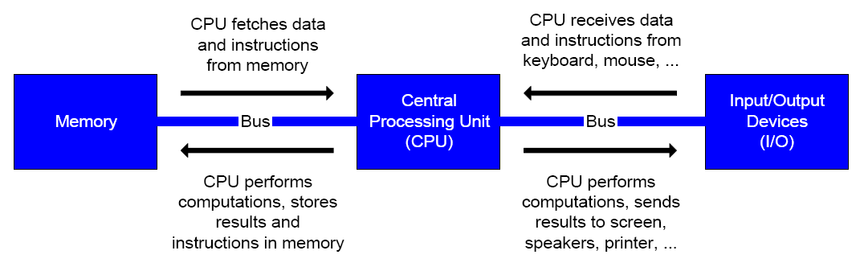
The major hardware components of a computer system can be grouped into three categories:
- Microprocessor / Central Processing Unit - Performs calculations. Moves Data.
- Memory - Stores Programs and Data.
- Input and Output Devices - For Interaction With Outside World.
Can you identify all the input and output devices on the following slide?
Hardware of a Personal Computer
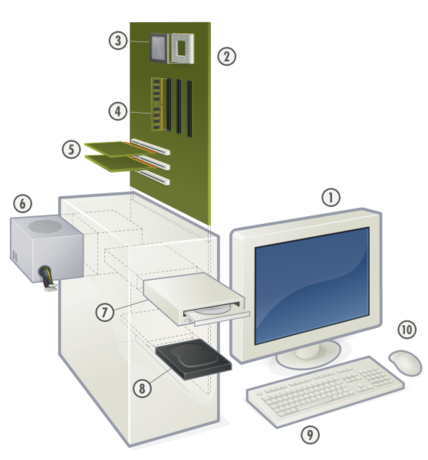
- Monitor
- Motherboard
- Processor
- RAM Memory
- Expansion card
- Power Supply
- CD-ROM Drive
- Hard Disk
- Keyboard
- Mouse
Resources
The Flow of Information
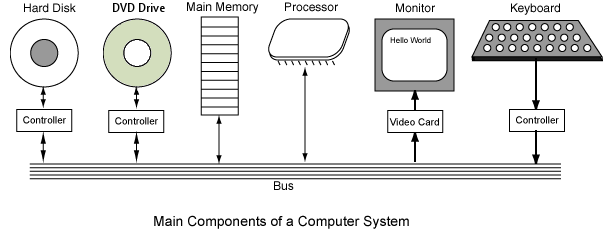
A bus is a group of wires on the motherboard of the computer that provides a pathway for data flowing between the components.
Communication over the bus is often coordinated by a controller. The controller can be integrated into the motherboard (e.g. keyboard controller) or attached to the motherboard as an expansion card (e.g. video controller).
The arrows in the image show the direction of data flow. Note that some devices only support one direction of data flow.
Computer Memory
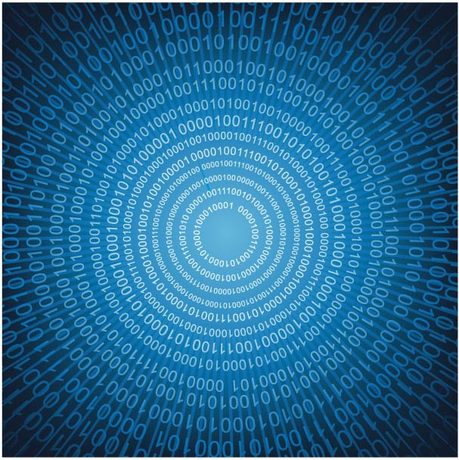
Computer memory provides temporary and long-term storage for software programs and data.
The programs and data are stored using binary digits, or bits for short.
Computer memory can be split into two categories:
- Main Memory - Sometimes called volatile memory
- Secondary Memory - Sometimes called nonvolatile memory
Memory Units:
-
byte = 8 bits
-
kilobyte (KB) = 210 bytes = 1,024 bytes ( = 8,192 bits)
-
megabyte (MB) = 220 bytes = 1,048,576 bytes ( = 8,388,608 bits)
-
gigabyte (GB) = 230 bytes = 1,073,741,824 bytes ( = 8,589,934,592 bits)
-
terabyte (TB) = 240 bytes = 1,099,511,627,776 bytes ( = 8,796,093,022,208 bits)
Resources
- How Computer Memory Works
- Computer Memory @ Wikipedia
- Computer Memory in Analogy - The Slow Librarian, the Marathon Winner, and You
Main Memory
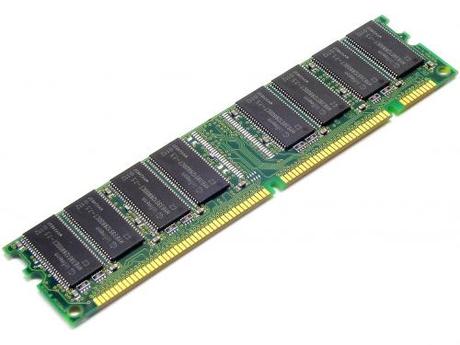
When someone says that a computer has “4 Gigs of RAM” they are talking about its main memory.
Main memory is much faster than secondary memory. It can be read and modified by the CPU millions of times a second.
Main memory is not used for long-term storage. When a computer is powered off all of its main memory is erased.
Image: Stick of Computer RAM, an example of volatile memory.
Main memory is sometimes called RAM which stands for Random Access Memory. By “random” we mean that the memory locations can be accessed in any order.
Resources
Secondary Memory
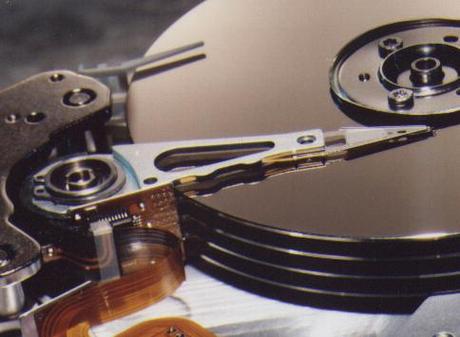
Secondary memory is where programs and data are kept on a long-term basis.
When programs and data become active, they are copied from secondary memory into main memory where the processor can interact with them quickly.
Unlike with main memory, the information stored in secondary memory remains intact when the computer is powered off.
Image: Hard disk drive with the metal cover removed.
Common secondary storage devices are the hard disk drive and optical disks (CDs and DVDs).
Resources
Input and Output Devices
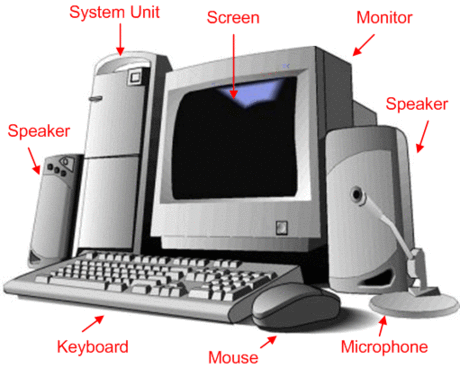
Input and output devices (I/O devices) allow data from the outside world into and out of the computer system.
Input Devices:
- Keyboard
- Mouse
- Microphone / Webcam
Output Devices:
- Monitor
- Speakers
- Printer
Microprocessor
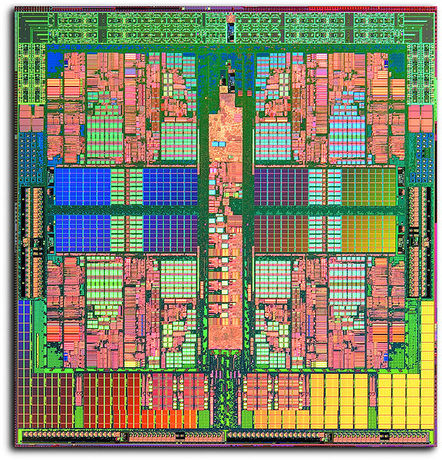
The microprocessor – also known as a CPU or Central Processing Unit – is the “brain” of the computer.
The CPU is a silicon chip made of millions (or billions!) of miniaturized electronic components.
The processor is responsible for two key tasks:
- Fetching program instructions and data from memory.
- Executing those instructions to manipulate the fetched data.
Image: Quad-Core AMD Opteron Processor Die
Most CPUs are small (about 1cm x 1cm) but are usually housed in larger cases to make room for all their connection pins.
Processors generate a lot of heat when they are performing calculations. For this reason they are usually coupled with a heat-sink and a fan to keep them from overheating.
Resources
Wikipedia Articles:
CPU Instructions
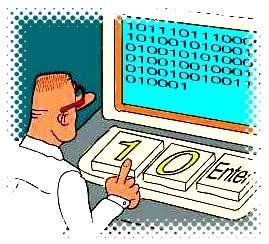
Computer programs are built of sequences of binary machine instructions. Although the CPU is the most complex component of a computer, the instructions it can execute are very simple.
Examples of machine instructions:
- Load a number from memory into the processor
- Store a number in memory
- Add, subtract, multiply or divid two numbers
- Comparing two numbers
Even the most complex programs are built from simple instructions such as these.
Programs written using these machine instructions are called machine language programs.
High-Level Programming

Programs these days are rarely written directly in machine language. Instead we use what are called high-level programming languages, which are much more programmer-friendly.
Examples of high-level languages used in the BIT program:
- Java
- Visual Basic and C# .NET
- Powerbuilder
- Ruby
- Javascript
- PHP
Resources
Videos: